
Warehouse Racking. Designed. Planned. Delivered.
Plan warehouse layouts, configure pallet racking, calculate material requirements and estimate installation costs, all within one connected platform.
- Warehouse
- Racking
- Layout
- 3D
- BOM
- Installation
- RAMS
- Inspection (planned)
- Handover
From survey to site handover.
Six connected stages for racking installers, estimators and project managers: define the building, specify the racking, design the layout, estimate the install and issue the paperwork.
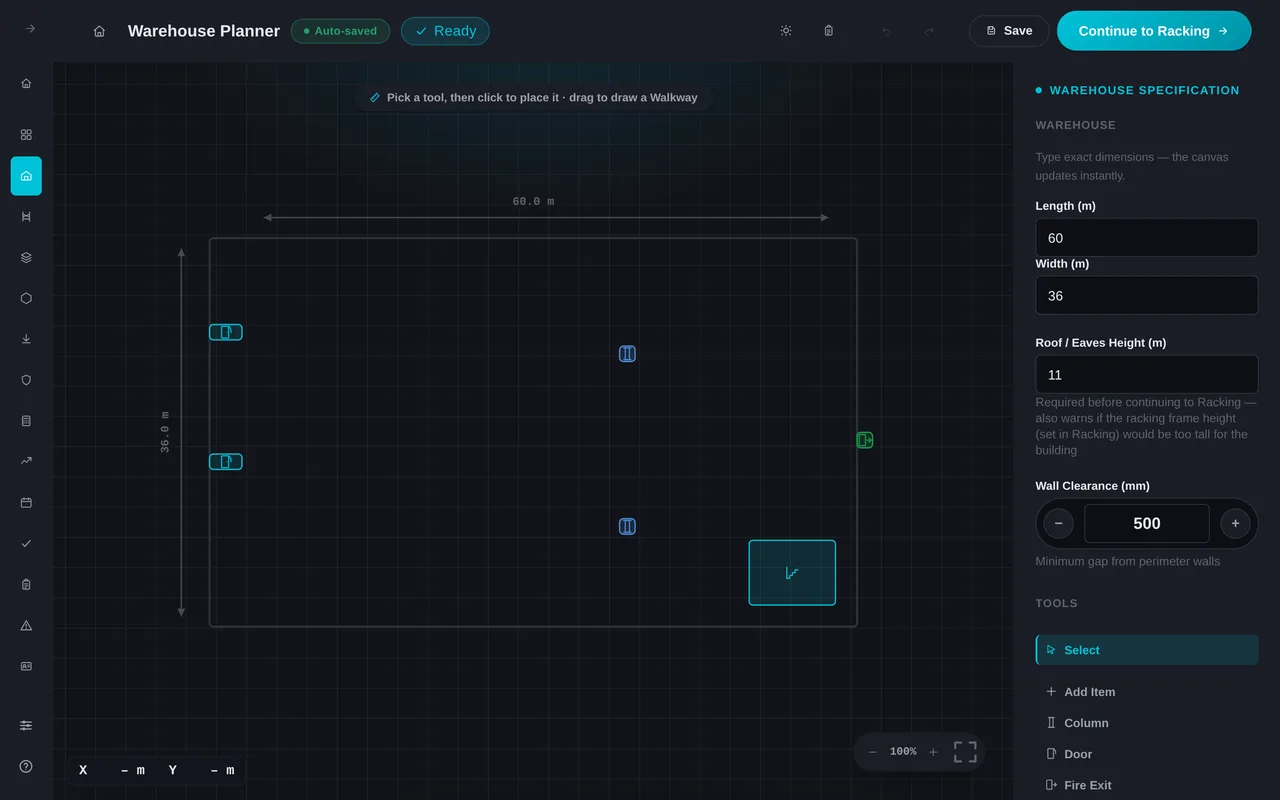
Warehouse Planner
Define warehouse dimensions, position structural columns and obstacles, and establish the available space for pallet racking.
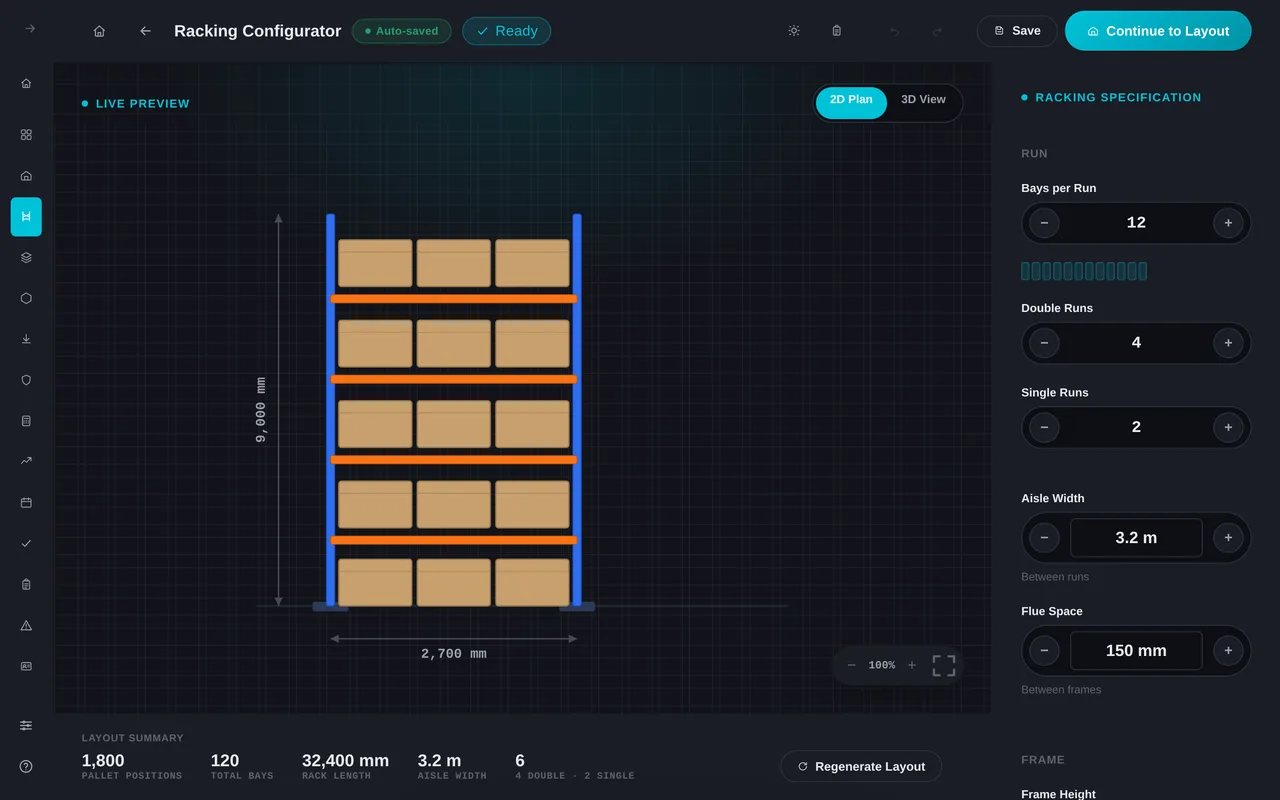
Racking Configurator
Configure single and double runs, bay dimensions, frame heights and beam levels to calculate racking requirements.
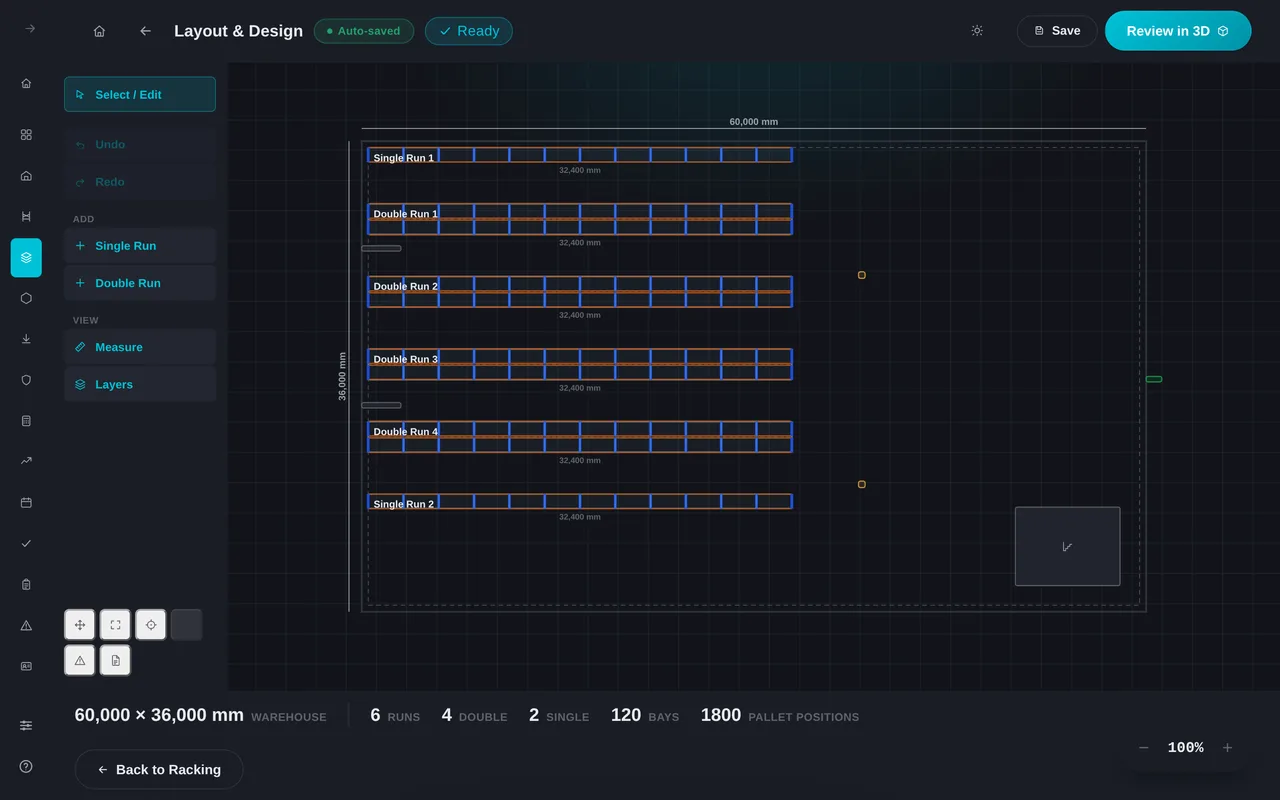
Layout Editor
Position racking runs, refine aisle widths and identify clashes or clearance issues before installation.
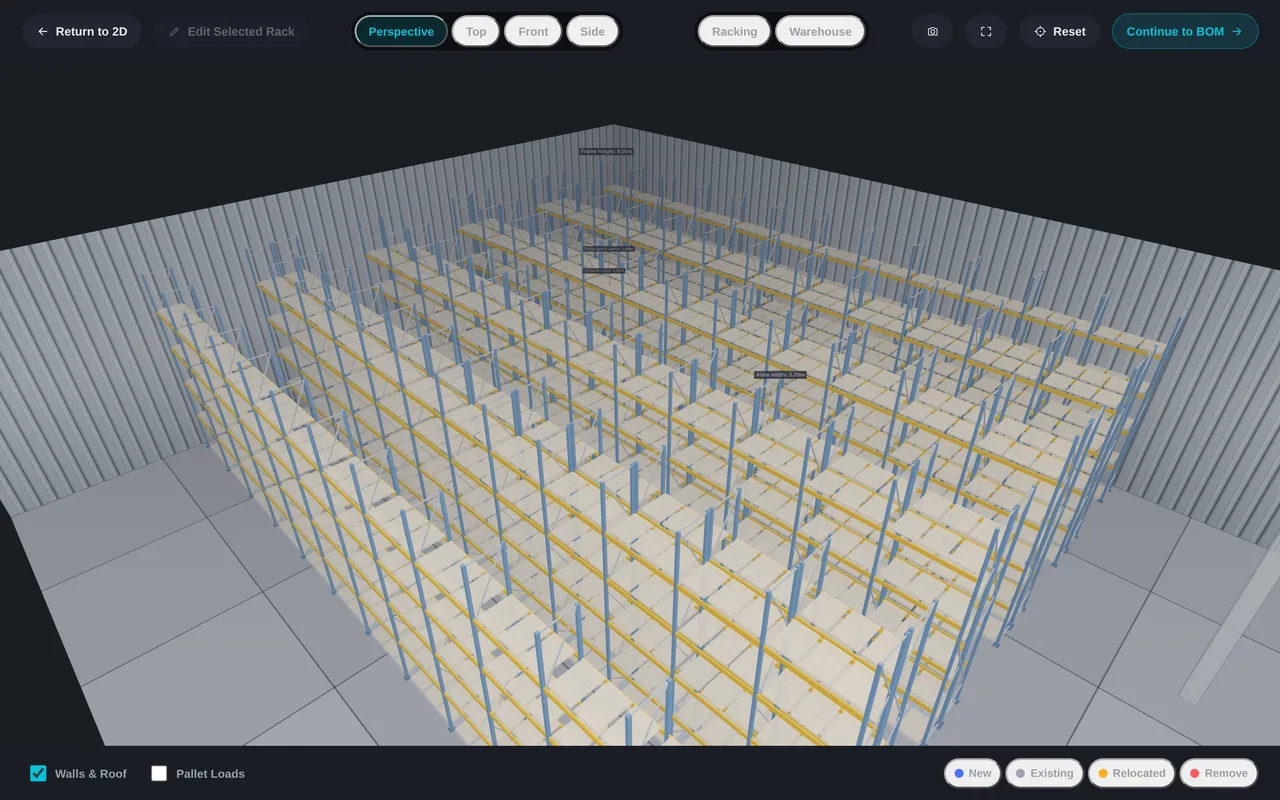
3D Visualisation
Explore warehouse layouts in 3D, inspect racking configurations and visualise pallet storage within the building.
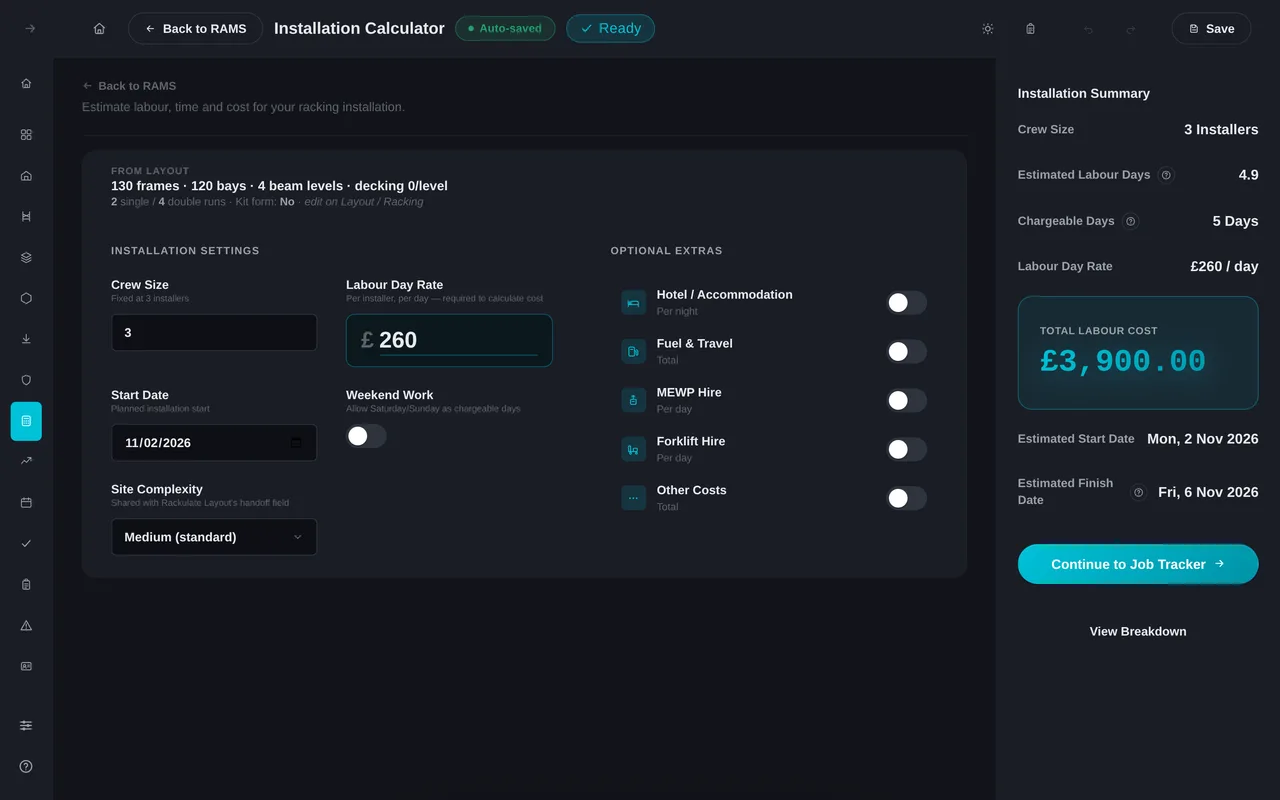
Installation Estimate
Estimate installation labour, equipment, travel and additional project costs using the configured racking requirements.
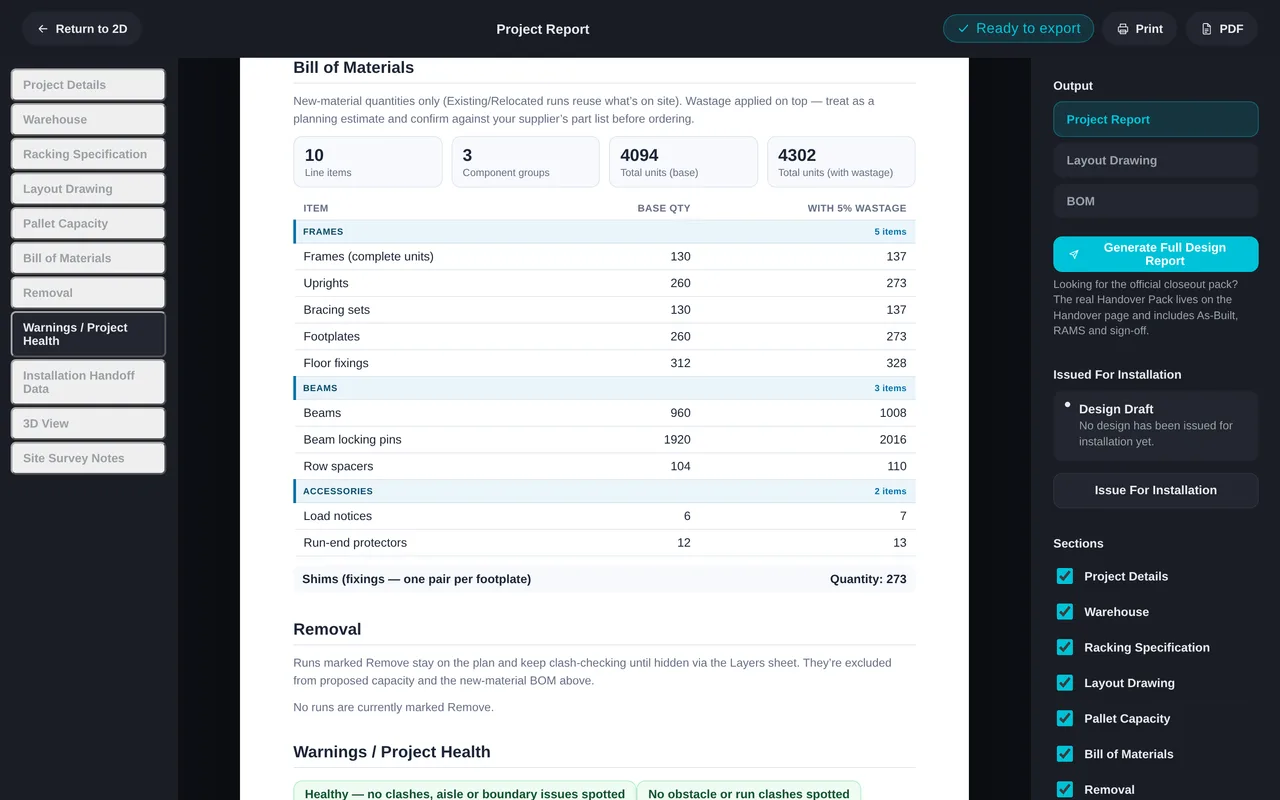
Project Report
Bring together project information, racking specifications and installation details into professional project documentation.
How It Works
One Project. Connected From Start to Finish.
Start with the warehouse, configure the racking and develop the layout. Rackulate carries your project information forward into material calculations, installation planning and reporting.
-
WarehouseRacking
Warehouse dimensions, clearances and obstacles determine the space available for racking.
-
RackingLayout
Configured runs, bays and beam levels form the layout.
-
Layout3D
View the designed racking, aisles and clearances in 3D.
-
LayoutInstallation
Layout quantities feed the labour estimate. Add crew, rates and equipment.
-
InstallationReporting
Combine project specs, materials and installation costs into one report.
Every stage works from the same saved project, so dimensions are entered once and the later stages read from them.
Help
Common questions
Each workspace page also has its own Help panel with the full reference.
How do I start a project?
Use New Project above, or Continue Working if one is already in progress. Work through Warehouse, Racking, Layout, 3D, Installation and Report in order; Rackulate flags what is missing before a stage can continue.
Is my work saved automatically?
Yes — your project autosaves to this browser as you work, and you can save it to a file at any point to reopen later or hand off. Autosave can be turned off in Settings if you'd rather save manually.
What happens if two runs clash?
Layout flags overlaps, out-of-bounds runs and narrow aisles as you place them, with the exact issue listed in the Project Health panel — so runs can be corrected before the layout goes to installation.
Can I see it in 3D before installing?
Yes — the 3D Visualiser renders your actual layout (frames, beams, decking, pallets) from any angle, and that same view is captured into the final report.
How is the installation cost worked out?
The Installation Calculator estimates labour hours, crew size, duration and cost directly from what you specified — frame count, beam levels, decking and more — with the full time breakdown shown alongside the total.
How do I get a client-ready document?
The Report stage brings the whole project together — specification, layout, a 3D capture, bill of materials and installation estimate — into one export, with a choice of presets or individual sections.
Ready when you are
Know it fits before it reaches site.
Open the Hub to start a new racking project or continue a saved one.